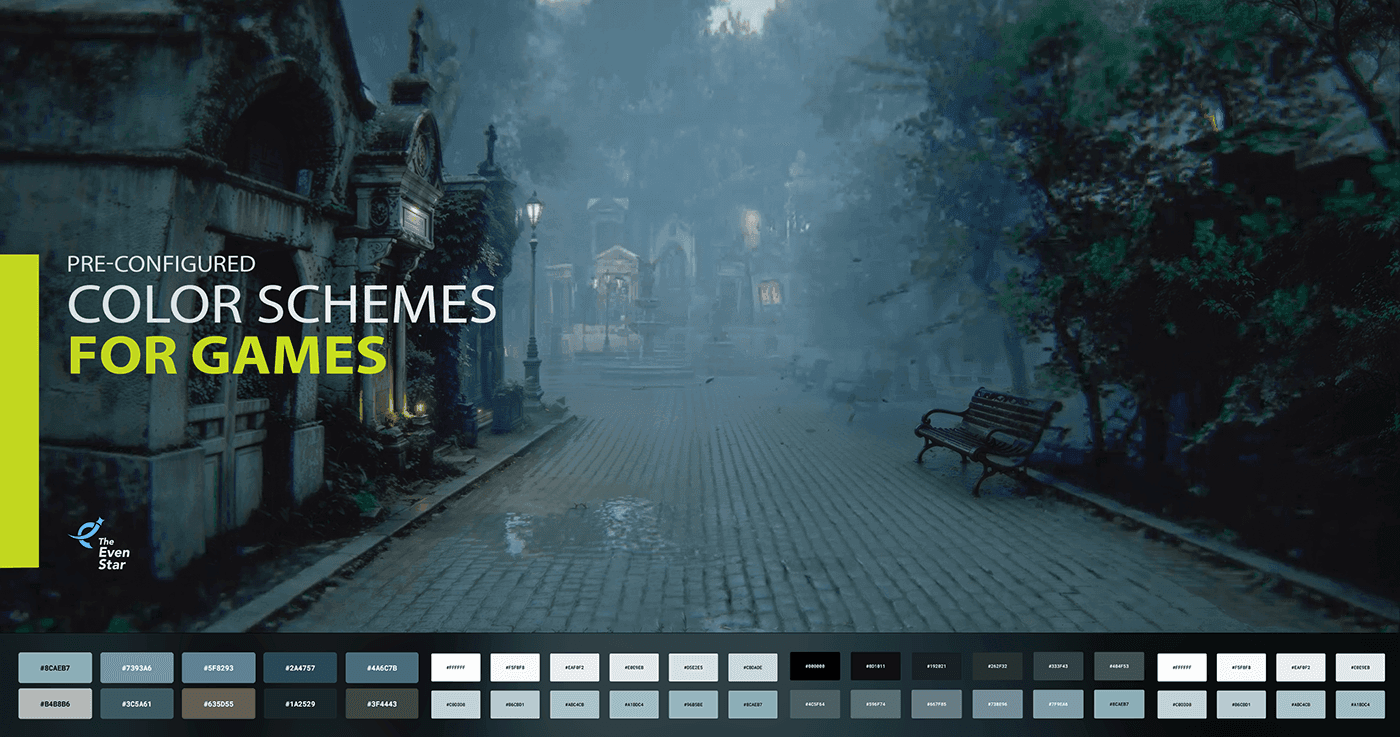
AAA game studios don't just have better assets — they have visual systems that make everything feel intentional. We bring that same layer to your game: color, lighting, and atmosphere configured directly in your engine, turning any level into an environment players actually believe in.
Why your level looks unfinished — even when the assets are good
In many game projects, visual consistency becomes a secondary priority during production. Teams focus on gameplay systems, optimization, level building, and asset creation first — while lighting, atmosphere, and color cohesion are often addressed much later in development. These visual inconsistencies often emerge not because of poor assets, but because there is no dedicated specialist responsible for lighting, atmosphere, and overall visual cohesion during production.
As a result, environments may contain technically strong assets that still feel visually disconnected. Objects can appear overexposed or detached from their surroundings, scenes may lack atmospheric depth, and clashing colors or uncontrolled contrast compete for attention. Levels feel unfinished despite the amount of work invested in them.
This is where our Pre-Configured Color Schemes Design solution comes in — a structured visual configuration approach built directly into the game engine to unify lighting, atmosphere, and environmental colors into a cohesive, production-ready scene.
The process starts with balancing the overall image through exposure, gamma, contrast, saturation, and vibrance adjustments. After that, a primary color direction is established to unify the scene and reduce unnecessary visual noise.
Atmospheric scattering and ambient fill, lighting temperature, and post-processing profiles are configured to create depth and improve how individual assets and materials are integrated naturally into the overall scene instead of visually decoupled from the environment.
Rather than relying on isolated post-processing fixes, the result becomes a reusable environment configuration pipeline that helps the entire game maintain a stronger visual identity throughout production.
To understand what a resolved visual system actually changes, it helps to look at two real examples from the market
Lunch Lady is an indie multiplayer horror game developed by one independent developer. Players take the role of students attempting to steal exam answers while avoiding the lunch lady. As a low-budget indie project, it represents a common production reality: a functional game with genuine gameplay ideas, built without a dedicated visual systems specialist. The level uses more than five base colors simultaneously with no unifying filter — each object follows its own color logic, there's no atmospheric depth, and overbright objects like repeated white vases break any sense of cohesion. Like many indie projects, the game prioritizes gameplay and production efficiency over dedicated visual system development. Working with an uncalibrated viewport traps developers into framing lighting and composition against a skewed baseline. Implementing correct post-effects later completely destabilizes the established art direction, heavily distorting the mood and layout, and forcing a global visual rework.
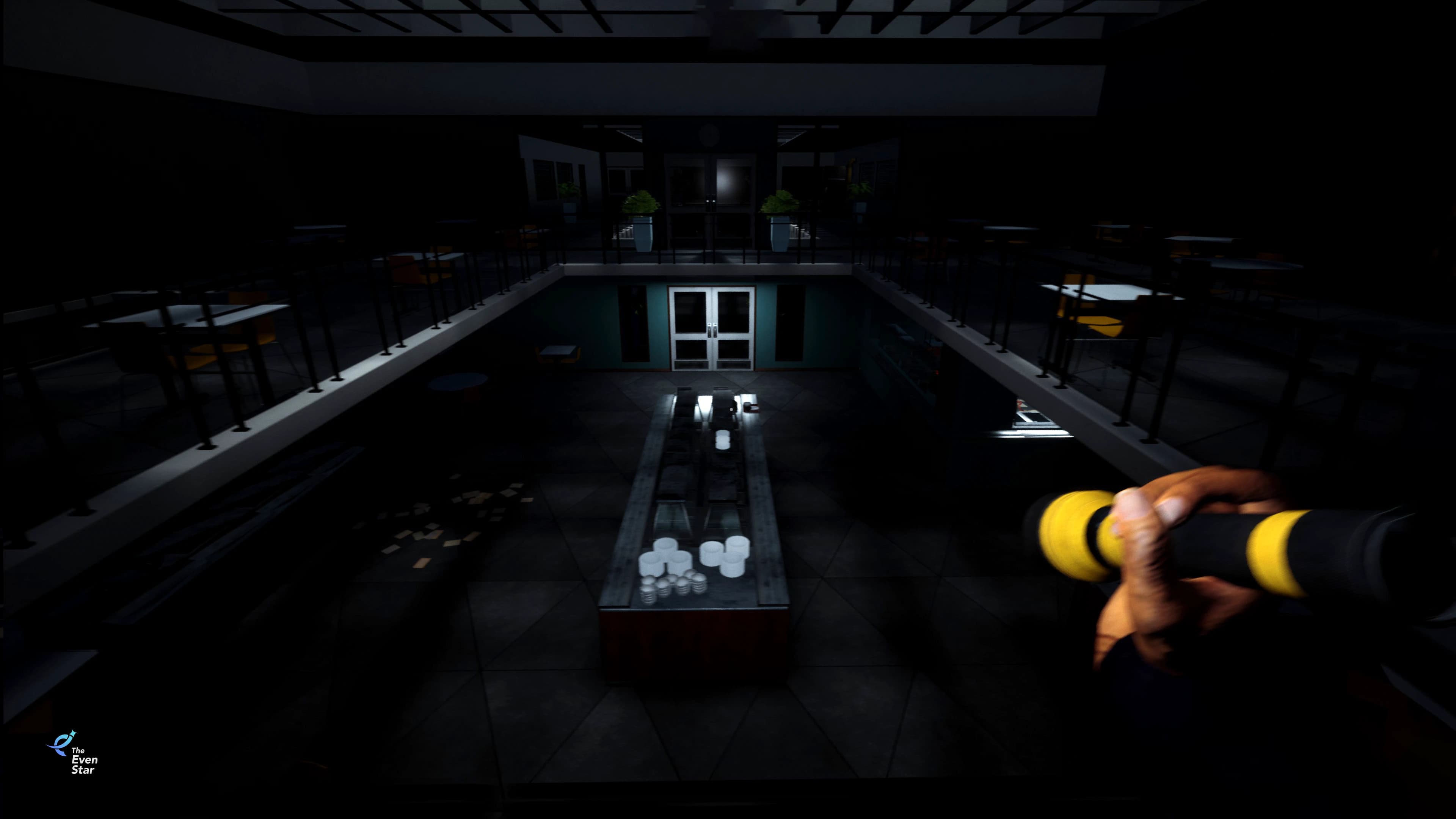
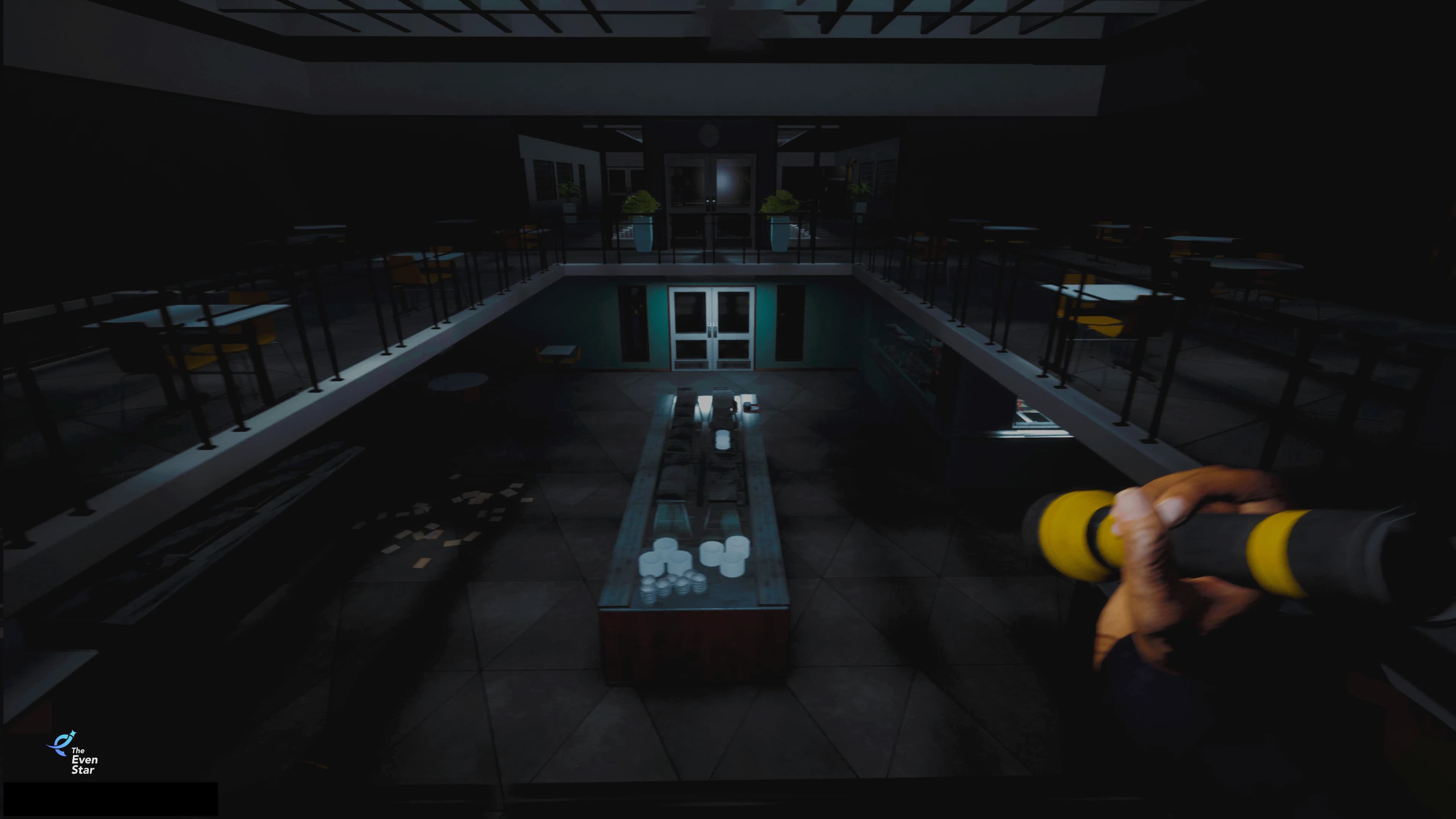
Resident Evil 7 sits at the opposite end. Developed by Capcom, this AAA survival horror title set in a decaying Louisiana plantation is one of the most visually cohesive horror games of its generation. A strong color filter pulls every surface and light source into the same palette. Dominant tones — yellow, blue, and deep darks — are consistent throughout. Atmospheric fog fills every space with weight and depth. Every object looks like it belongs exactly where it is.
The difference isn't simply asset quality or production budget. It's the presence of a visual system that unifies lighting, color, atmosphere, and environment design into a single coherent experience.
This is exactly what we addressed in our projects. Working with a city game level built on mid-tier assets, we applied our six-step configuration process directly inside the engine — balancing exposure, establishing a color direction, adding atmospheric depth, defining the lighting scheme, and adjusting individual object materials. The before and after screenshots below show the full transformation.
Six-step configuration process
You share your game level with us — no preparation needed, no asset rebuilding, no technical setup. Our specialist works directly inside your engine and configures the entire visual system in six structured passes.
1. Define the visual direction
Before touching a single setting, we establish the target style: photorealistic, semi-realistic, or stylized. This decision anchors every adjustment that follows.
2. Balance global exposure and gamma
We correct the overall image — exposure, brightness, contrast, and gamma 2.2 — so the scene reads correctly at first glance before any color work begins.
3. Apply primary color filtering
We reduce saturation, boost vibrance, and apply a directional color tone to eliminate color noise and establish a dominant palette that every object will align with.
4. Add atmospheric depth
Atmospheric scattering and ambient fill are introduced to simulate a real physical space — carving out spatial depth between objects, grounding emissive elements, and rendering the environment into a tangible, lived-in space that actually exists.
5. Configure the lighting scheme
We select 2–3 dominant light colors that define the emotional tone of the scene — applied consistently across all light sources so the environment has a clear mood and visual identity.
6. Integrate individual objects
Finally, we adjust materials and color values of specific assets that stand out — removing outliers so every element feels like it belongs in the scene.
What you get back
By balancing exposure, refining the color palette, introducing atmospheric depth, and integrating individual assets into a unified visual direction, the environment gained a more polished, immersive, and production-ready appearance.
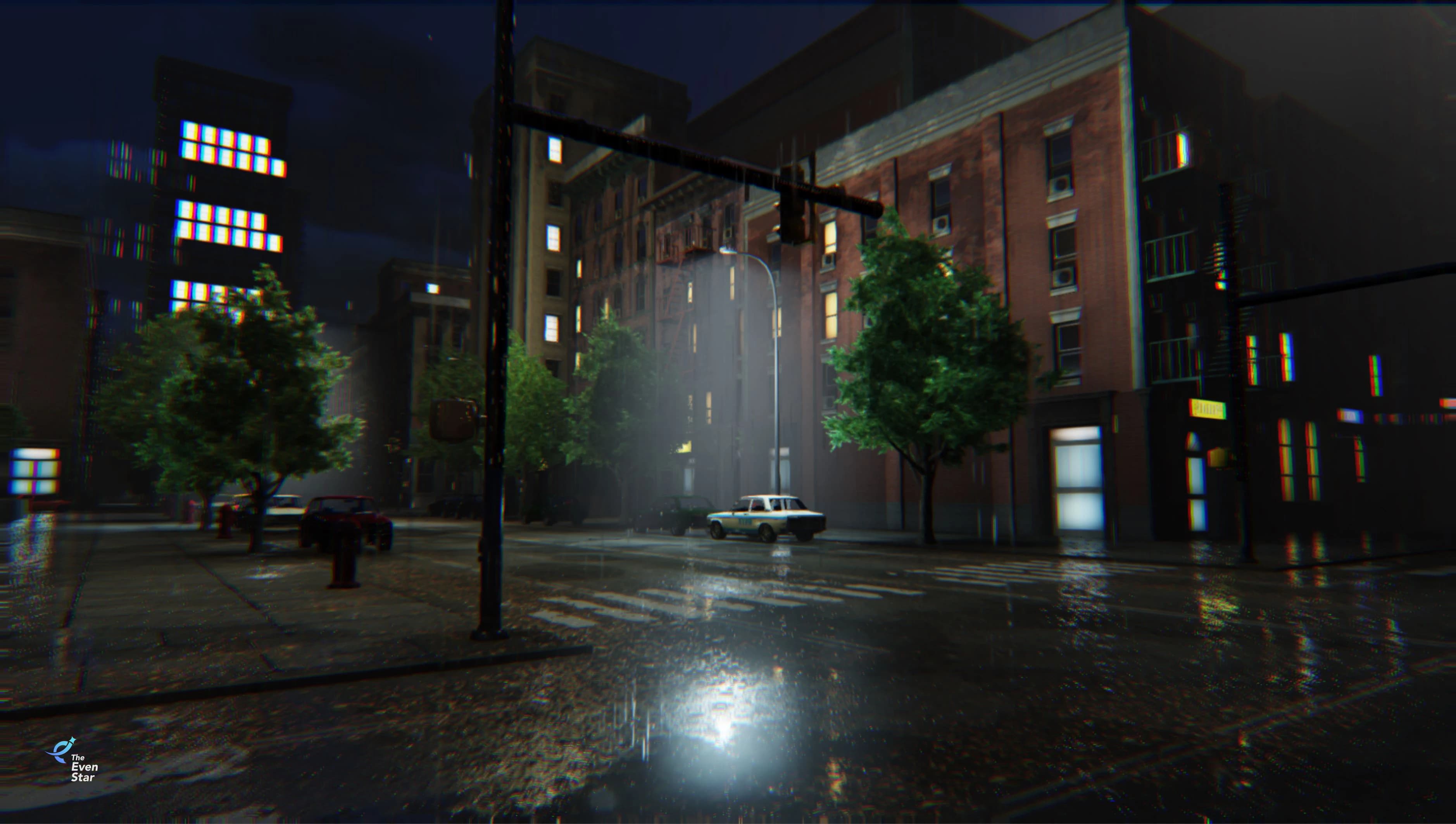
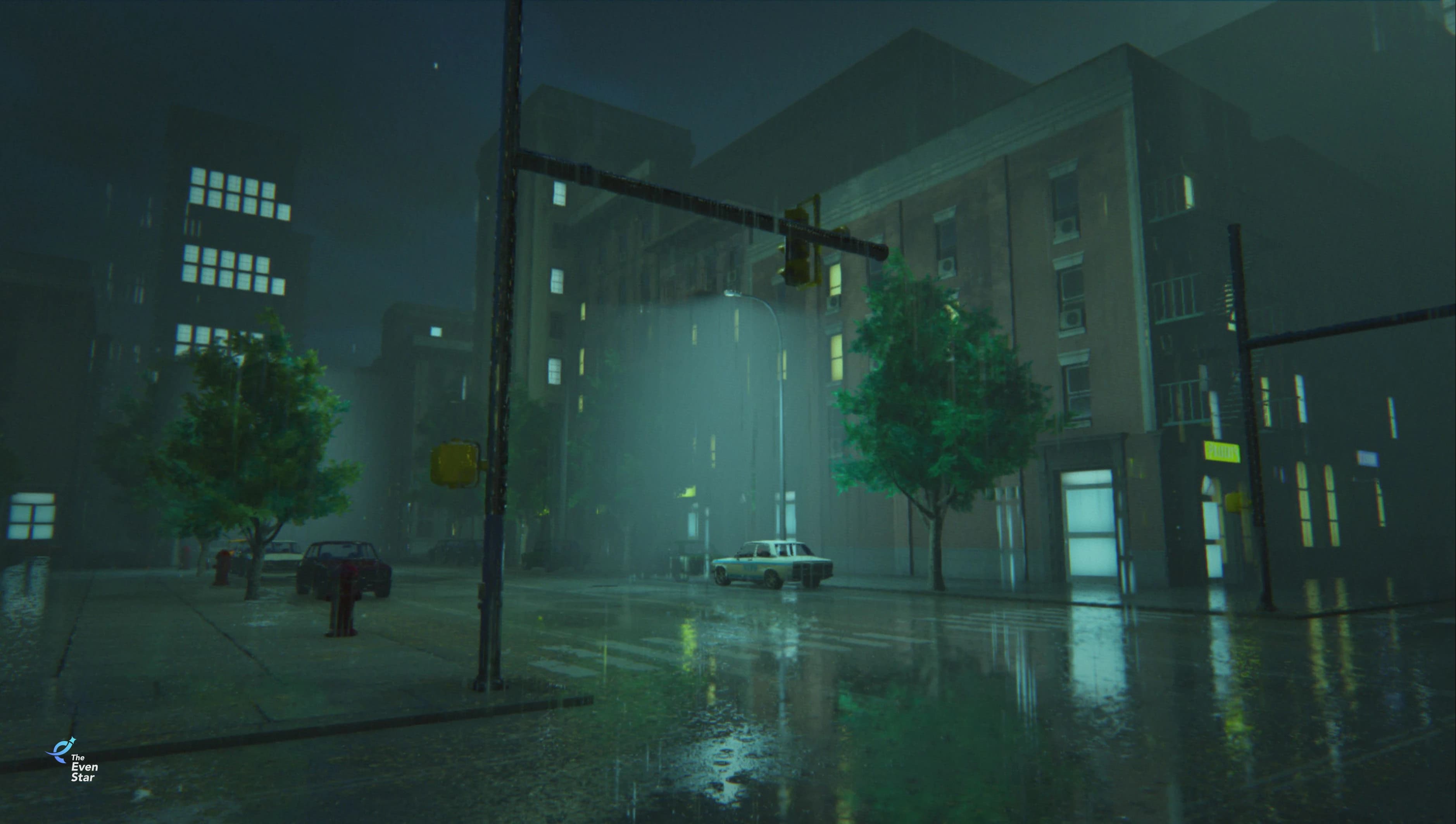
What you get back is your level, transformed. The same assets, the same geometry — but now with a fully configured visual identity that makes the environment feel physically grounded, purposeful, aesthetically elevated, and polished. The kind of atmosphere players associate with AAA titles, applied directly to your project and ready to ship.
More similar cases